


If you have any experience using Finale, you’re probably well aware that creating kicks over time is not exactly an intuitive process. Thankfully, Sibelius has a bit of a different approach to this ever so common notation.
To start, select layer 1 on the keypad and enter your “kicks” on the first space above the staff.

Next, switch to layer 2 on the keypad and enter four quarter notes on the middle line of the staff.
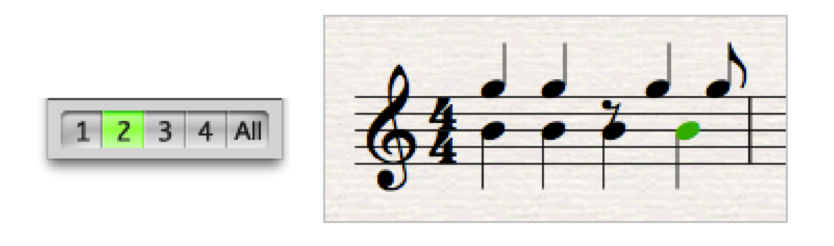
Now, select the quarter notes you just entered and hit ⌥⇧3 (option+shift+3).
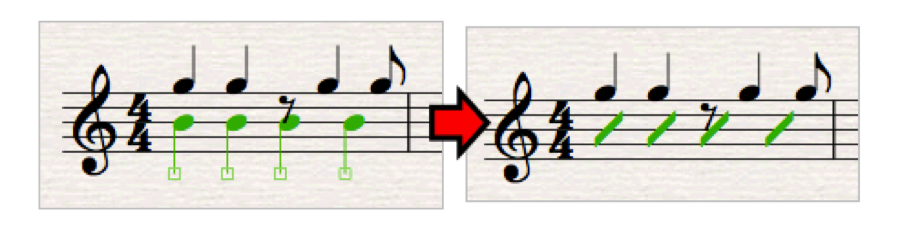
Voilà! You now have slash notation under your “kicks”. The only thing you may have left to do is select any rests and nudge them up a bit.
To start, select layer 1 on the keypad and enter your “kicks” on the first space above the staff.
Next, switch to layer 2 on the keypad and enter four quarter notes on the middle line of the staff.
Now, select the quarter notes you just entered and hit ⌥⇧3 (option+shift+3).
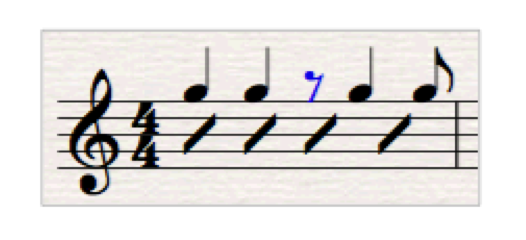
Voilà! You now have slash notation under your “kicks”. The only thing you may have left to do is select any rests and nudge them up a bit.
-by LC Tech Blog contributor Michal Skrzypek


